


 Live
Live
LIVE
 Slots / Sports
Deposit with OVO or QRIS, find your account wallet settings front and center, and reach support whenever you need it. Access depends on local law and is available where local law permits.
Once you are inside your account, the dashboard shows your current wallet balance, recent transaction records, and any available account offers — all in one place without digging through menus. We built this view specifically for returning members who want to check their status and move on quickly.
The lobby at horas177 covers live casino tables, slot rooms from studios including Bigtime Gaming, PG Soft, and Habanero, and a sportsbook section where football — Liga 1 matches and European fixtures — sits at the front. Switch between categories from the top navigation bar without losing your place.
We support OVO and QRIS as our verified deposit rails, and DANA and GoPay are available in the wallet section depending on your account region. To add funds, go to the Deposit tab inside your account, select your preferred method, enter the amount, and follow the confirmation fields shown on screen.
OVO transfers are processed through the standard OVO send-money flow. Enter the amount on the deposit page, confirm the receiving details shown, then complete the transfer from your OVO app. The deposit page shows the exact reference details to use.
QRIS works with any Indonesian payment app that supports the national QR standard. Open the deposit page, select QRIS, and scan the code shown. The amount is set before the QR is generated, so the figure in your payment app should match what you entered.
DANA deposits follow the same deposit-tab flow. Select DANA, enter your amount, and follow the account-linking fields if this is your first DANA transaction. Availability depends on your account region and local eligibility.
GoPay is available under the wallet section for eligible accounts. The deposit form shows whether GoPay is active for your region. If it appears, select it and follow the transfer steps shown — the receiving details are pre-filled from your account profile.
The sportsbook at horas177 covers the categories Indonesia members follow most. Football sits at the front — Liga 1 matches are listed when fixtures are scheduled, and European competitions including the Europa League appear in the pre-match and in-play sections.
Liga 1 fixtures appear in the football section when matches are scheduled. Pre-match and in-play markets are both available. The live view updates as the match progresses — odds shown reflect current match state from the data feed, not a fixed pre-match figure.
Europa League Over Under and other markets are listed during the competition calendar. Pre-match odds appear before kick-off; in-play markets open once the match is underway. Check the Europe section of the sportsbook for currently active fixtures.
Badminton Thomas Cup Bet is available during the Thomas Cup schedule. This is one of the events Indonesian members follow closely. Markets are listed in the badminton section of the sportsbook when the competition is active.


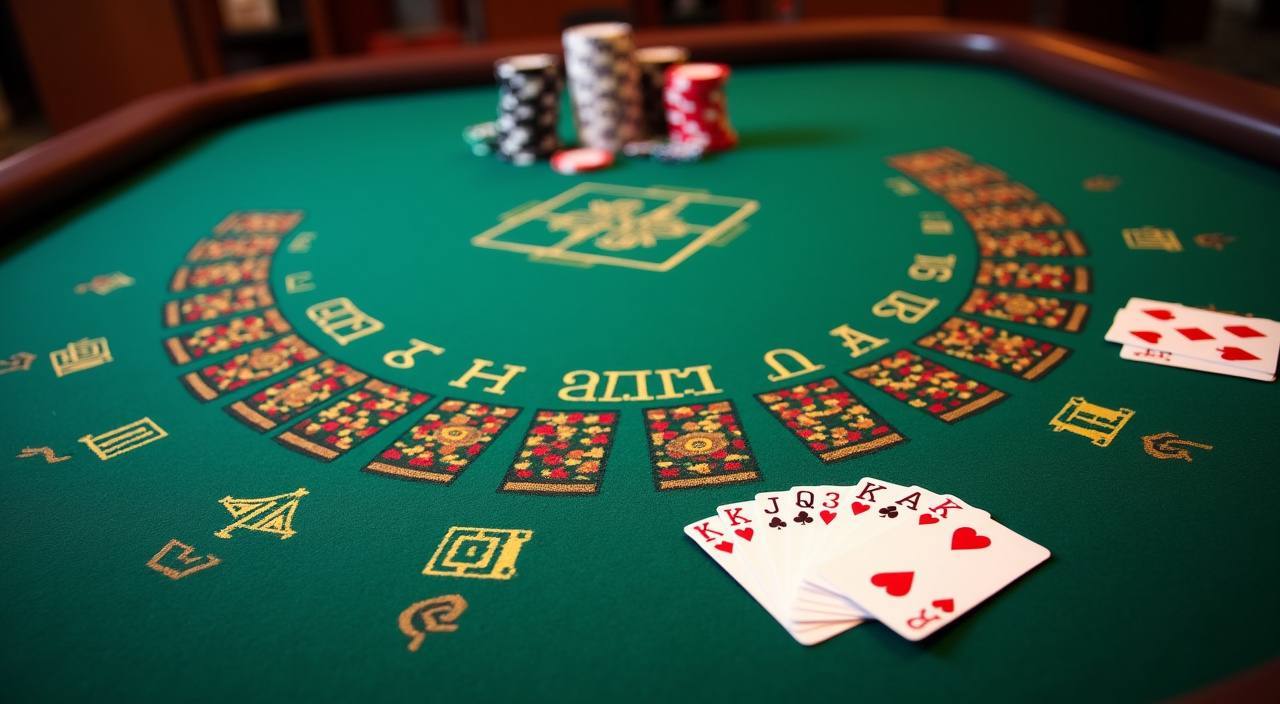
Cards, tables, FAQ and policy pages stay easy to read on smaller screens.
The full lobby — live casino, slots, and sportsbook — loads through your phone browser without needing a separate download. On Android and iOS, open your browser, go to horas177, and the layout adjusts to your screen automatically. The account dashboard, deposit tab, and support chat are all reachable from the mobile menu without scrolling past the game grid.
Open horas177 in your phone browser — Chrome on Android and Safari on iOS both work without extra steps. The layout shifts to a single-column view with the main categories accessible from the top navigation bar. No app install needed to reach the full lobby or your account dashboard.
Crash Fast Lift and Fishing War Mobile Play are among the titles that hold up best on a touch screen. Buttons are sized for tap rather than click, and the game interfaces scale to fit without cutting off controls. Check the mobile-friendly filter in the lobby to see which other titles are flagged for smaller screens.
Your wallet balance, deposit tab, transaction history, and support chat are all in the mobile menu. Tap the account icon at the top right to reach profile and security settings. OVO and QRIS deposits work the same way on mobile as they do on desktop — the deposit form is the same interface, resized for your screen.
The horas177 lobby carries content from Bigtime Gaming, Joker, PG Soft, JDB, Spadegaming, Habanero. To check the studio, rules or features of one specific game, open that game card or the published information panel.
Opening an account and making your first deposit follows a short sequence — most members complete it in a few minutes. First, go to horas177 and select the account creation option. You will fill in your basic details: name, phone number, and a password.
Go to horas177, select the account open option, and fill in your details. Use the phone number that matches your e-wallet account — OVO and DANA verification checks for this match. Follow the confirmation step sent to your registered number.
After confirming your number, your account is active. Log in with the credentials you set during registration. The account dashboard is your landing view — wallet balance, deposit tab, and support access are all visible from here.
Open the Deposit tab, select OVO, QRIS, DANA, or GoPay, and enter your amount. The form shows the minimum and maximum for the method you chose. Complete the transfer using the reference details on screen. Your wallet balance reflects the deposit once it clears.
With your wallet funded, head to the lobby. Use the top navigation to switch between slots, live casino, and sportsbook. Your account dashboard stays accessible from the top-right icon at any point during your session.
Support at horas177 is reachable through the help routes built into your account — you do not need to leave the site to get assistance. The primary route is the live chat icon that appears at the bottom of every page when you are logged in. This connects you to the support team and is the quickest way to get a response on account, deposit, or access questions.
The live chat icon is visible on every page when you are logged into your account. It connects directly to the support team. This is the route to use for account access questions, deposit issues, and anything that needs a quick answer. The chat window opens in the browser without a separate app.
For payment questions — a deposit not reflected in your wallet, or a withdrawal query — use the Transaction Help route under Support in your account menu. This route attaches your transaction reference automatically, which helps the team locate your record without you having to copy and paste it.
The Contact form under your account menu is for non-urgent queries. Fill in the details and the support team follows up to your registered contact. Useful for account review questions or anything you want to submit in writing rather than over chat.
Account security and access control sit at the center of how horas177 is built. Your profile holds the key settings: linked payment methods, registered phone number, password, and session activity. Each of these can be reviewed and updated from your account page without contacting support. The linked phone number is particularly important — it is used for wallet verification when processing OVO and DANA transactions, and keeping it current prevents delays at the deposit step.
Your registered phone number must match the number on your linked e-wallet account for OVO and DANA transactions to process without a verification hold. Check this under your profile settings if a deposit is taking longer than the window shown on the deposit page. Updating the number takes effect on your next deposit.
Change your password from the profile page at any time. Sessions expire after a set period of inactivity — you will be asked to log in again when the token expires. If you share a device, log out manually after each session rather than relying on the timeout. These controls are all under your profile icon.
Standard accounts can deposit and withdraw within the base limits shown on the deposit page. Higher tiers require identity verification — the account page shows what documents are needed and the current status of your verification. Verified accounts have access to higher transaction limits as shown in their account settings.
This platform is available where local law in Indonesia permits. Availability depends on your region and eligibility. If the platform is not accessible from your current location, this reflects local law rather than an account issue. Check the eligibility information in the account help section for details on supported regions.
New to some of the terms you see in the lobby? This section covers the mechanics and vocabulary that come up most often across slots, live casino, and sportsbook — written the way a player actually needs to understand them, not as a legal dictionary.

A bonus round is a feature built into many slot titles that activates when a specific symbol combination lands on the reels. During a bonus round the rules change — you might get slot feature spins with a fixed multiplier, a pick-style mini-game, or an expanded reel. The exact mechanic depends on the game.
RTP stands for Return to Player and is a theoretical percentage calculated over a very large number of game rounds. It is published by the game studio, not set by the platform. At horas177, RTP information is shown on the game card only where the studio exposes it. We do not invent or estimate figures where the studio has not published one.
An in-play market is a sportsbook bet that you can place while a match is already in progress. Odds update in real time as the game develops. Live In-Play Football at horas177 covers Liga 1 and selected European fixtures during match time. The markets available at any moment depend on the data feed for that match — some in-play options close temporarily during key moments like penalties or VAR checks and reopen shortly after.
Over Under is a market where you bet on whether the total number of a specific event — usually goals in football — will be above or below a line set by the sportsbook. For example, an Over Under 2. 5 goals market means you bet on whether the match ends with three or more goals (Over) or two or fewer (Under).
A crash game is a format where a multiplier starts at 1x and climbs until the round ends — at a point determined by the game engine. You decide when to lock in your exit before the crash point is reached. Lock in too late and you lose your stake for that round.
QRIS is Indonesia's national QR payment standard supported by most local e-wallet and banking apps. To use it for a deposit at horas177, go to the Deposit tab, select QRIS, enter your amount, and scan the QR code shown on screen using your payment app. The amount is locked before the QR is generated, so the figure in your app matches what you entered.
VIP account status at horas177 is based on your account activity and is reflected in your account settings once certain thresholds are reached. The current status and what it unlocks — such as higher transaction limits or access to certain support routes — is shown in your account dashboard after login.
Local lobby check
horas177 menghadirkan permainan casino lengkap — live dealer, slots, dan table games — dengan deposit OVO dan QRIS untuk wilayah Indonesia yang didukung
Access MOBILE GUIDEhoras177 app tersedia lewat browser mobile untuk Indonesia. Cek akses akun, deposit OVO dan QRIS, serta jalur support langsung dari perangkat kamu
Access PAYMENT GUIDEhoras177 menyediakan deposit via OVO dan QRIS, penarikan ke e-wallet, dan verifikasi akun untuk wilayah Indonesia yang didukung sesuai hukum setempat
Access PLAYER GUIDEhoras177 menjelaskan istilah kasino, taruhan, dan akun yang perlu kamu pahami — dari RTP hingga KYC, untuk pemain Indonesia
AccessThese are the questions that come up most often from members across account setup, deposits, game access, and support. If your question is not here, the live chat in your account reaches the support team directly.
Read FAQ →Go to the Deposit tab inside your account, select OVO, and enter the amount you want to add. The page will show you the receiving details and reference to use. Complete the transfer from your OVO app using those details. The phone number on your OVO account needs to match the number registered on your horas177 profile for the verification step to clear without a hold.
Bigtime Gaming slot titles are available in the slots section of the lobby. Use the studio filter and select Bigtime Gaming to see the current active catalogue. The titles shown there are what is live right now — we do not list specific game names here because the active catalogue can change. Each title has a game information panel that includes the bonus round description and RTP where Bigtime Gaming publishes it.
Yes. Open horas177 in your phone's browser — Chrome on Android and Safari on iOS both work. The full lobby, including slots, live casino, and sportsbook, loads through the browser. Your account dashboard, deposit tab, and support chat are all accessible from the mobile menu. No download is required. If the page does not load correctly, try clearing your browser cache and reloading.
First check the transaction history in your account wallet — the status of the deposit appears there and may show it is still processing. If it shows no record of the transaction and the transfer has left your DANA account, go to Transaction Help under Support in your account menu. That route attaches your account details automatically.
Go to your account profile — tap the icon in the top-right corner — and look for the contact details section. Update the phone number there and follow the verification step shown on screen. Keeping this current is important because OVO and DANA deposits use it as part of the wallet verification check. If you have changed your e-wallet number, update your horas177 profile number to match before your next deposit to avoid a verification hold.
Access depends on local law and is available where local law permits in Indonesia. If the platform loads and you can complete account registration, it is accessible in your current region. If you encounter an access restriction, this reflects local eligibility rules rather than an account problem. For questions about regional availability, contact the support team through the live chat or Contact form in your account.
Use the top navigation bar — it shows the main categories: slots, live casino, and sportsbook. Tap or click the category you want and the lobby switches to that section without reloading the page. On mobile, the navigation collapses into a menu icon at the top of the screen. Your account status and wallet balance stay visible regardless of which section you are in.
The support team is set up to assist Indonesia members and handles queries in the context of the Indonesia market. Use the live chat or Contact form in your account to reach them. For deposit and transaction issues, using the Transaction Help route is more efficient than the general chat because it routes your query with your account reference already attached.
Access may be available only where local law permits.